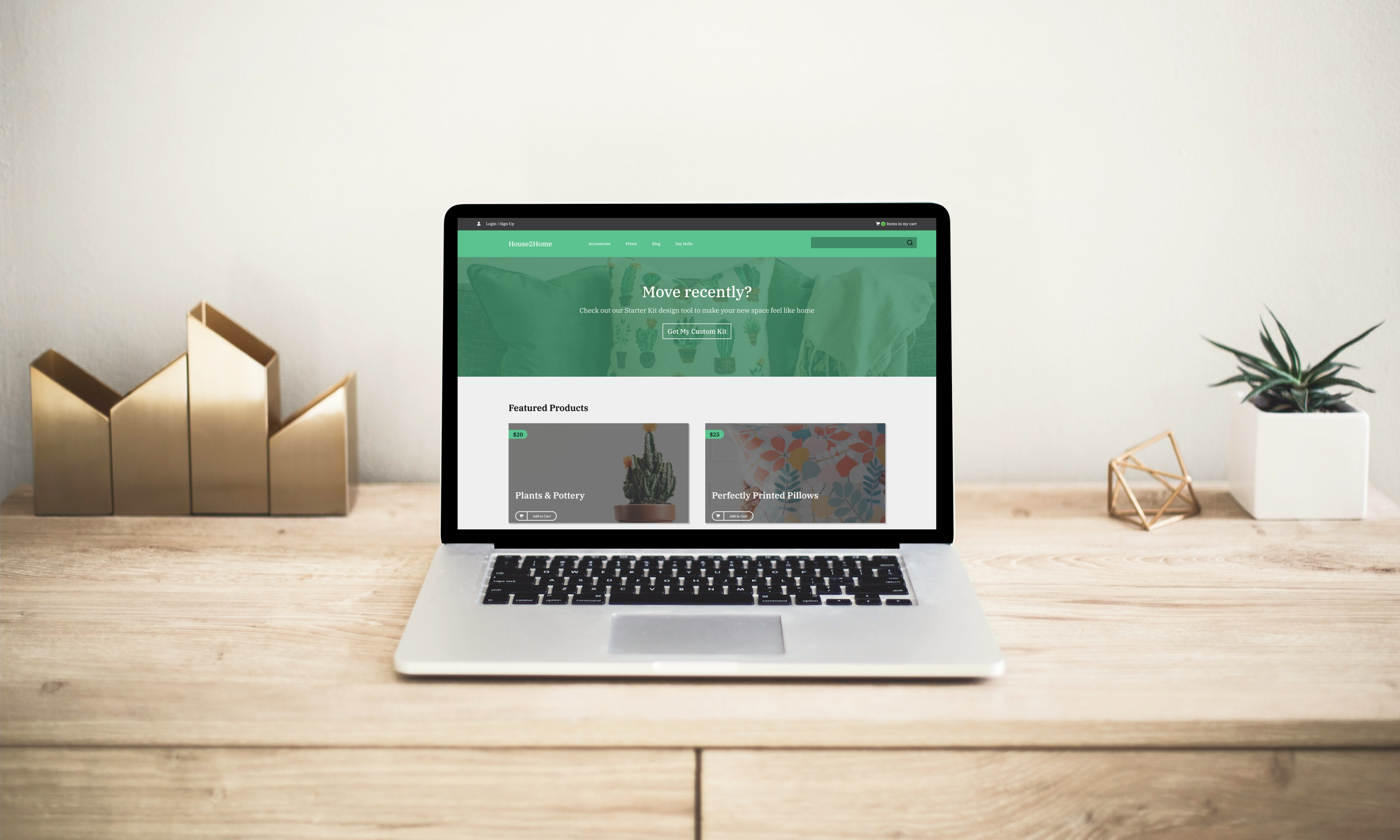
House2Home
Modified Google Venture UX/UI Design Sprint
Role: Independent UX/UI Designer
-
As part of my UX/UI bootcamp, I was given a few design challenge briefs to choose from, and ultimately chose the House2Home design challenge. My task was to read the design brief and execute a 5-day design sprint to test a solution to the research problem. I was given background on the company, a color palette and font, a snapshot of the home page, research highlights, and the following design constraints:
Designed as a website for larger screens
Focus is on users that want a “starter kit” of multiple products to decorate a new apartment
$10-$50 decorative products and accessories only - no large pieces
-
E-commerce website that sells small home decor products and accessories
Through customer surveys, they’ve found many of their customers have just moved into a new apartment and want to buy multiple items to personalize their new space, but don’t feel confident doing it on their own
They see an opportunity to provide people with a “starter kit” of items to instantly decorate their new place
I was brought on to run a modified 5-day Google Ventures design sprint to quickly test out a possible solution
-
Customers feel overwhelmed when it comes to decorating their new homes/apartments
Even if they have an idea of what they like, they find it difficult to bring that idea to life and are unsure how everything will look all together in their own home
Staying within a budget is a main concern, and they struggle to find the balance between cost and getting the look they’re going for
-
The starter kit design tool uses AI technology to enable customers to see curated products in a simulated image of their room.
Customers upload a video of the room they would like to style, enter the dimensions of the room, their design style, and their budget, and the design tool curates specific pieces tailored for them and shown in their room.
Day 1:
Understand
| Empathize & Define |
Design Sprint Process
Day 2:
Sketch
| Ideation |
Day 3:
Storyboard
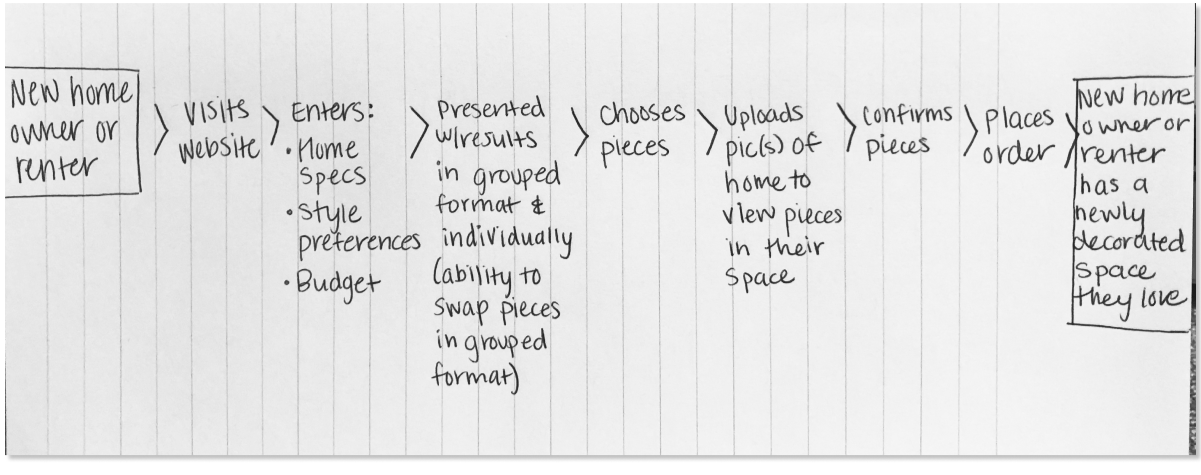
| End-to-End User Flow |
Day 4:
Prototype
| Mockups |
Day 5:
Test
| Validate |
Day 1: Understand
Research
House2Home conducted user research using the following prompt, then provided highlights from that research.
Research
Identify Themes
Map UX
“Tell us about a time you shopped for items to decorate your new home or apartment”
-
![]()
"I moved into a new apartment and it was sooo empty, so I wanted to buy some stuff to make it a little more stylish. I knew I needed a few things, but it was hard trying to stick to a budget"
Maria
-
![]()
"I find lots of cool little items that I like, but I never know if they'll all look good together in the same room until I buy them. Usually, I get overwhelmed and end up not buying anything."
Dan
-
![]()
"I'll admit - I want my place to look good, but I never enjoy searching for decorations or items. I'm not super picky about specific items, so spending time searching for stuff just gets tirin."
Ron
-
![]()
"I do a lot of searching and saving on Pinterest. -but the photos are usually of full rooms that I like the look of. For example, I'll see a room with a beach-house theme and save it...but once it comes down to buying stuff for my place, it's hard for me to pick out the right items."
Renata




Themes
From the research conducted by House2Home, I was able to identify the following themes and map out a possible end-to-end user experience for the persona provided to solve these issues:
Hard to find nice items on a budget
Struggle with how items will look all together
Unsure how items will look in user’s own home
Day 2: Sketch
Lightning Demos
I chose to look at the websites and apps for West Elm, Pottery Barn, Williams Sonoma, Target, and Wayfair. While the first three are all owned by the same company, their sites offered slightly different elements that I wanted to capture. Below are features that I felt would be helpful on the House2Home site.
Lightning Demos
Crazy 8s
Solution Sketch
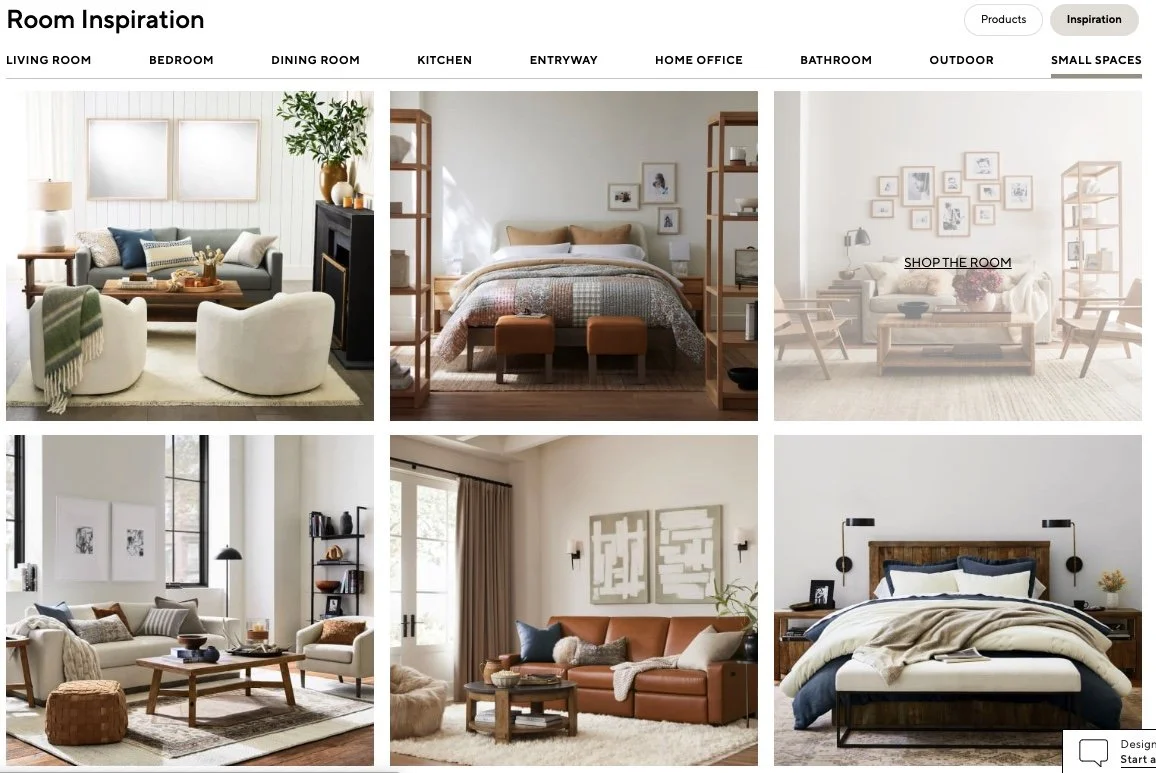
The Room Inspiration section on Pottery Barn’s site is a great example of how to provide users with inspiration on how to decorate their space. I liked how users are able to shop the room to find the products used in the photos.
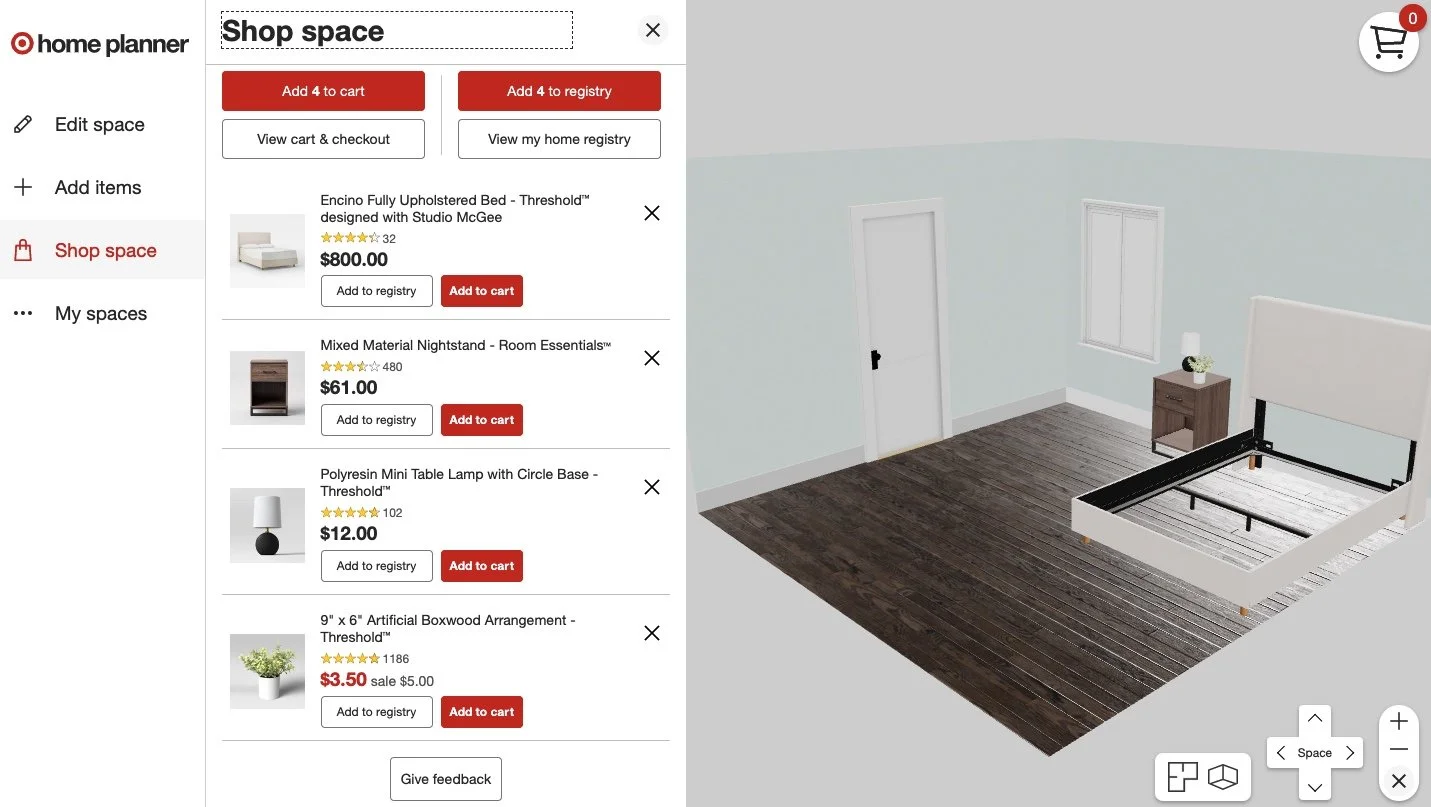
All brands have a Room Planner feature that allows users to decorate/furnish their space with products from their site. I thought a feature like this would be helpful for users to see what the products will look like all together, as well as what they will look like in their own space versus a staged photo.
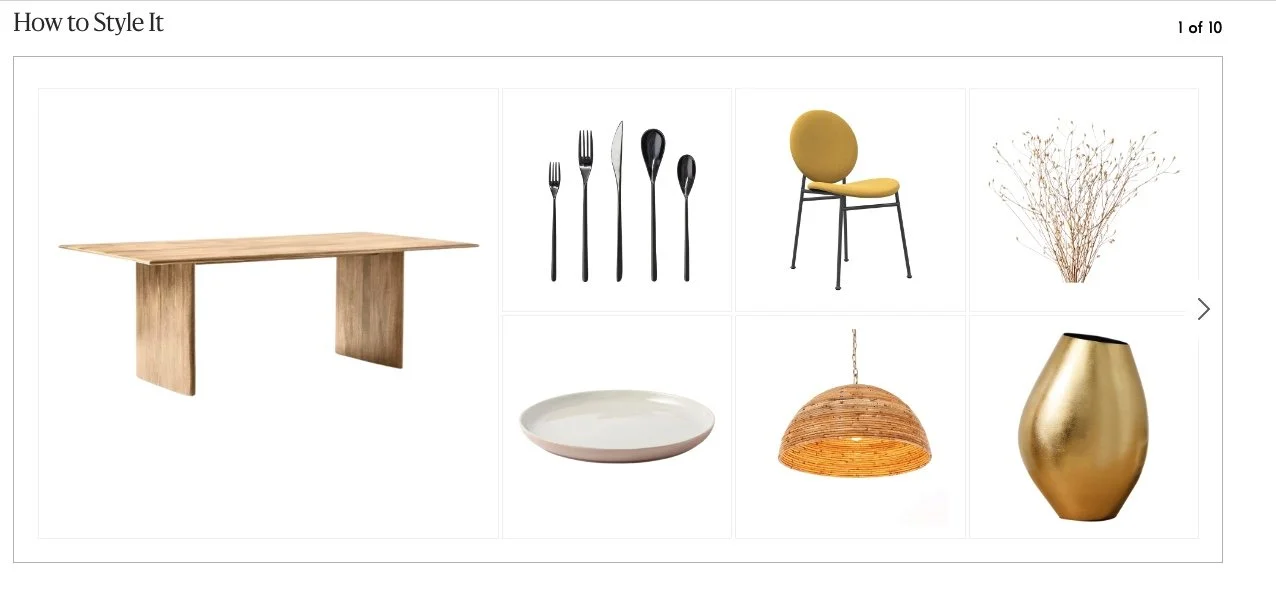
I liked the idea of being able to shop a curated list of products so users wouldn’t have to think about choosing items from an infinite list of options.
Crazy 8s
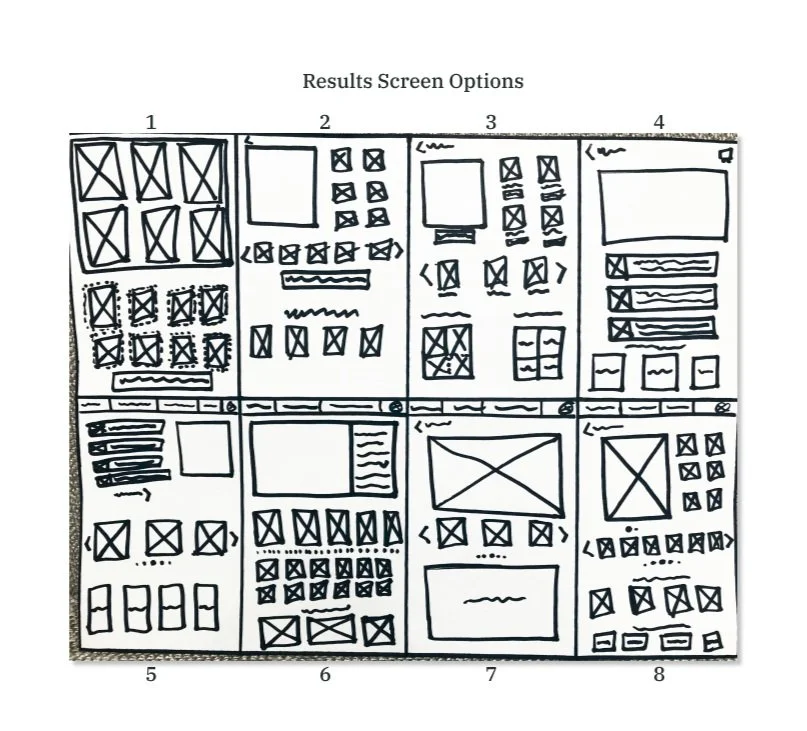
I selected the results page as the most critical screen because it will provide the most benefit to the user. The other screen I was considering was the data entry screen, as that is where the user will put the different pieces of information that tailors the results to the them. However, data entry screens don’t provide information to the user and that is what they need most. The results page will allow the users to view curated products, see those products in their own home, and see inspiration of how those products can be used - all of which help solve the current problem.
Solution Sketch
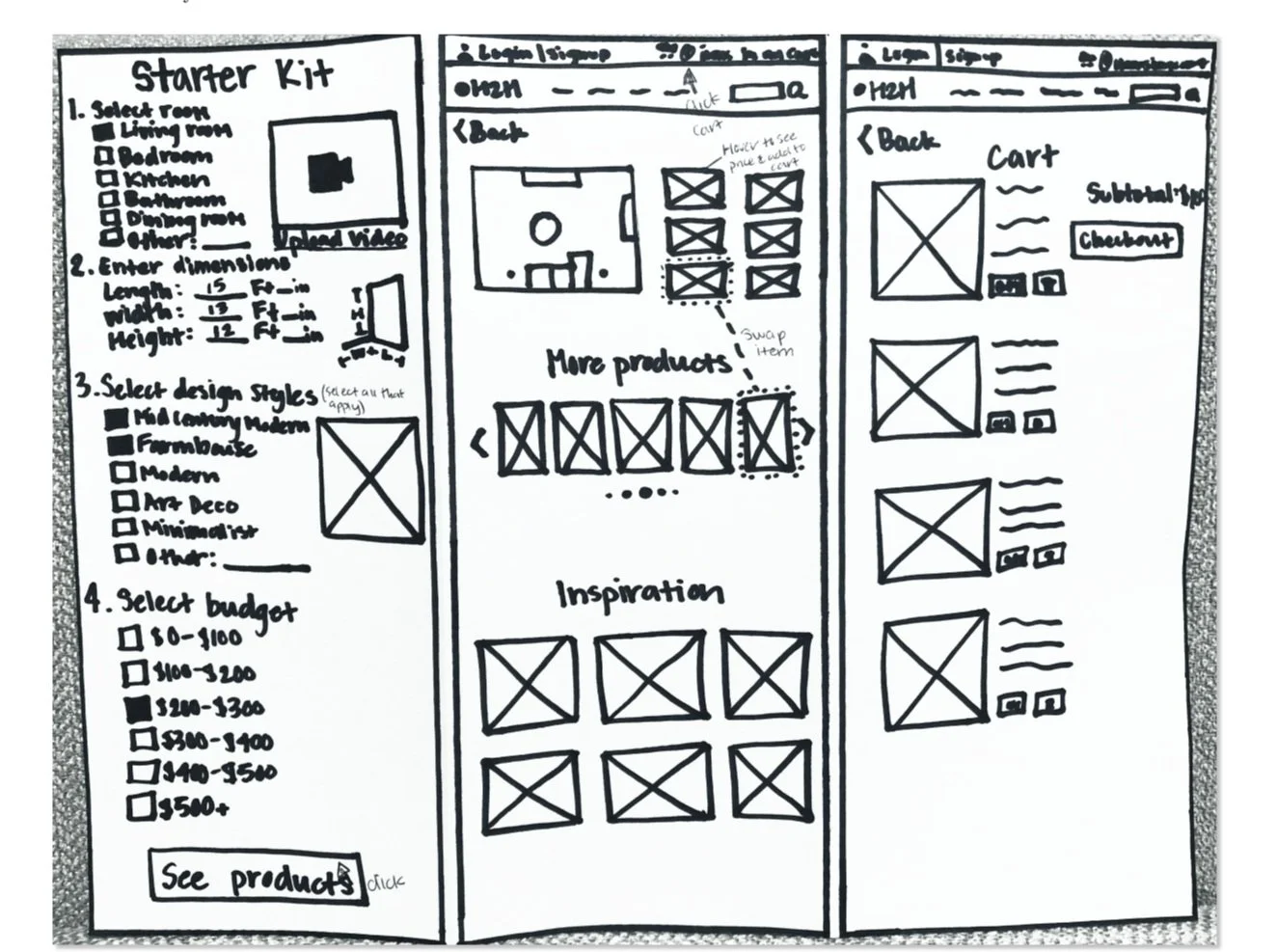
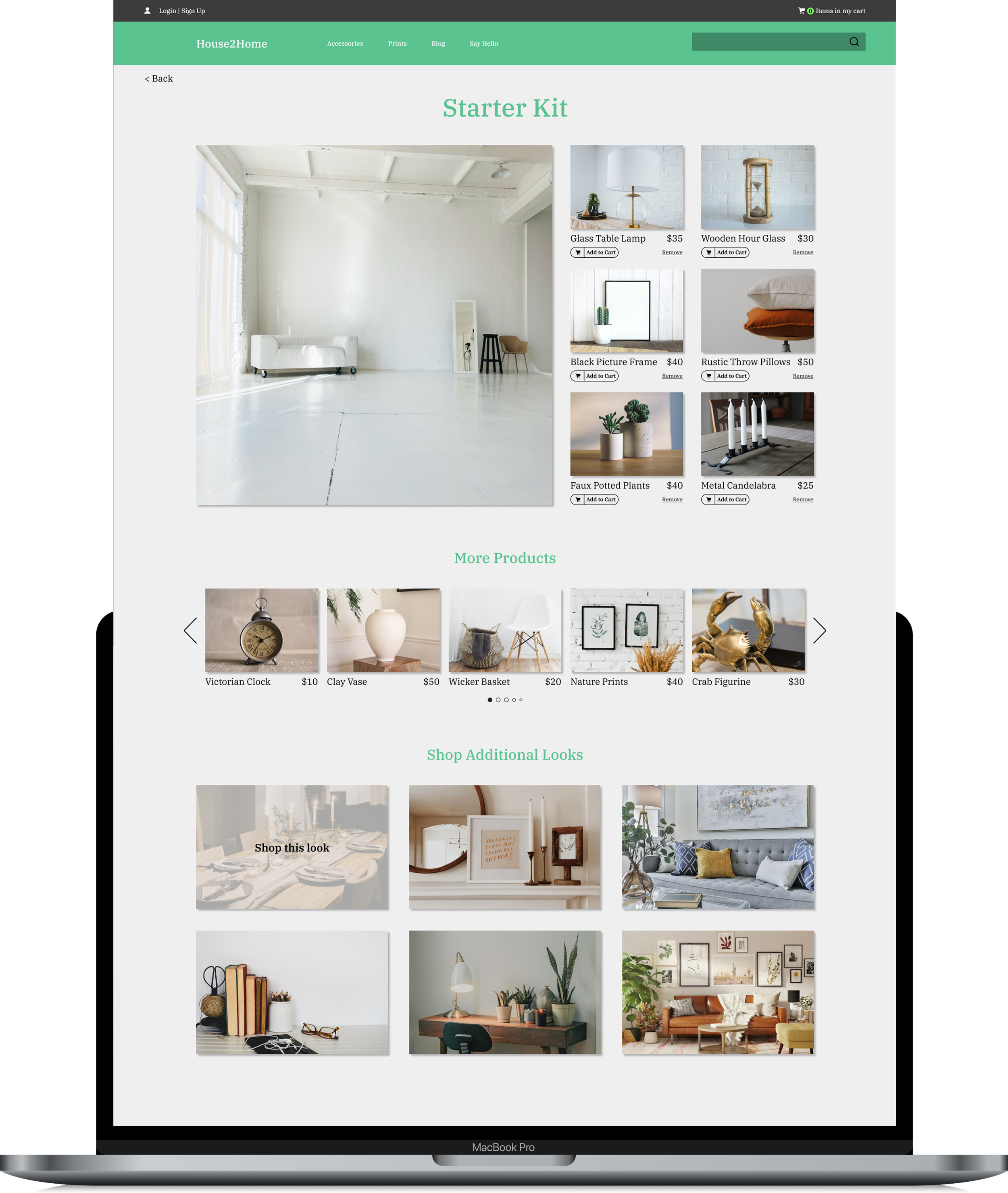
I decided on a main screen that I believed implemented the key features from the lightning demos without causing users to feel overwhelmed by the information being presented. This ended up being a combo of sketch 2 and 8, shown above. Below are the sketches of my final solution that include this main screen and the screens that come before and after in the user flow.
Day 3: Storyboard
End-to-End User Flow
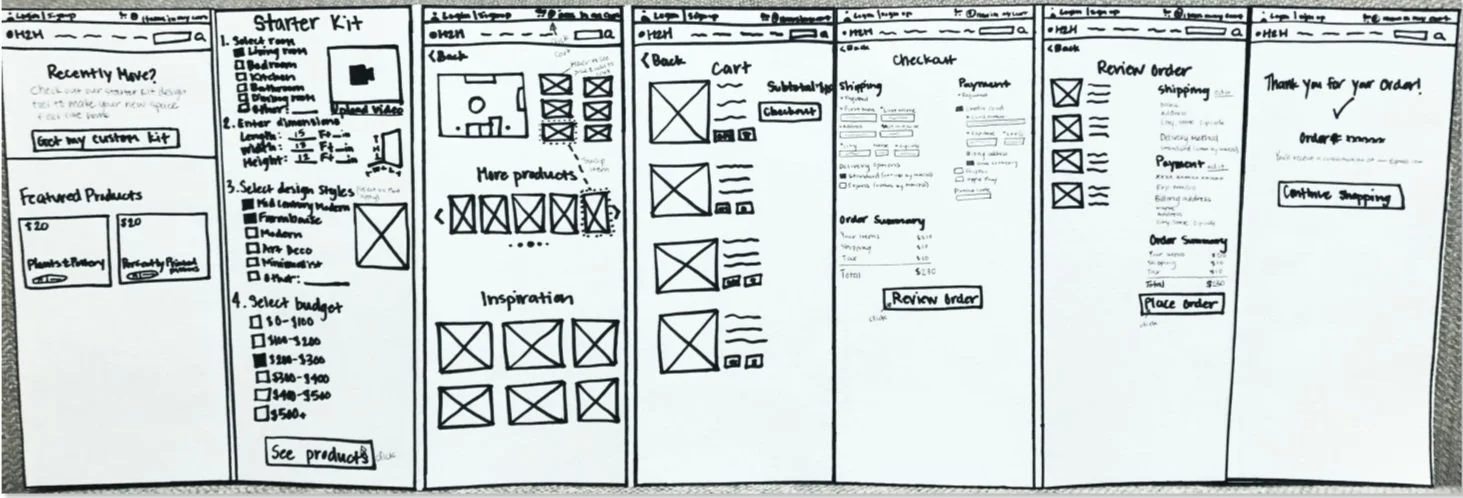
I finished out the user flow by adding the following screens:
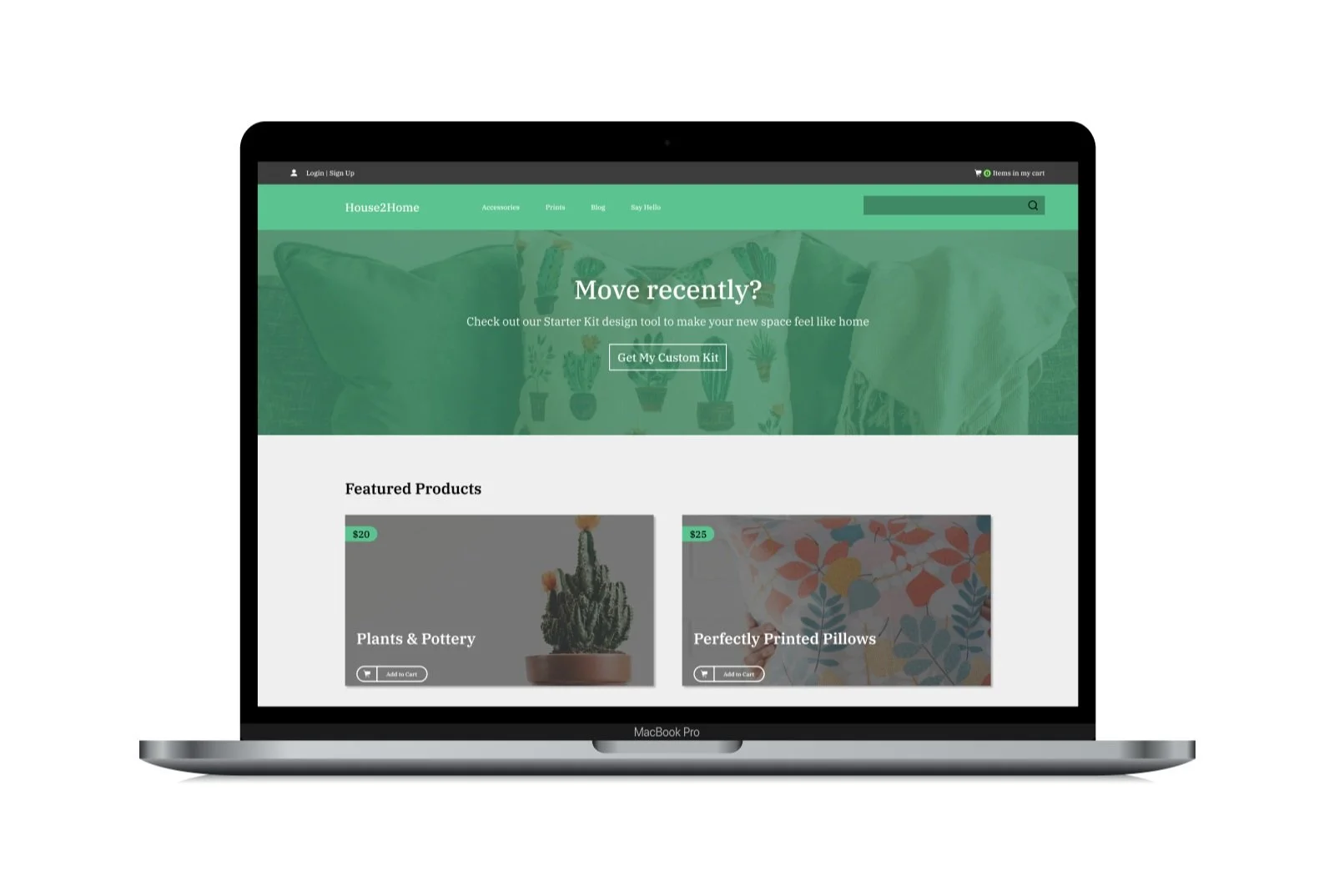
Homepage with a call to action before the Starter Kit screen in order to track whether users would be interested in the starter kit
Checkout process in order to track whether users followed through and purchased the items using the starter kit
|————— Original Solution Sketch —————|
End-to-End
User Flow
|— Homepage —|
|———————— Checkout —————————|
Day 4: Prototype
Mockup
Goal: Users are able to receive curated products based on their style and room, and see what they look like in their space.
*Since the AI doesn’t function, testers needed to imagine the room image showed their space with the curated items in place.
Mockup
Day 5: Test
Testing & Iteration
Scenario
I conducted usability testing with five participants via 20-30 minute moderated meetings. I asked participants to imagine they just settled in to a new apartment and wanted some assistance finding some items to decorate their place within a budget of $300. I gave them some parameters since not all flows functioned (ex: design style, address, etc.).
Findings
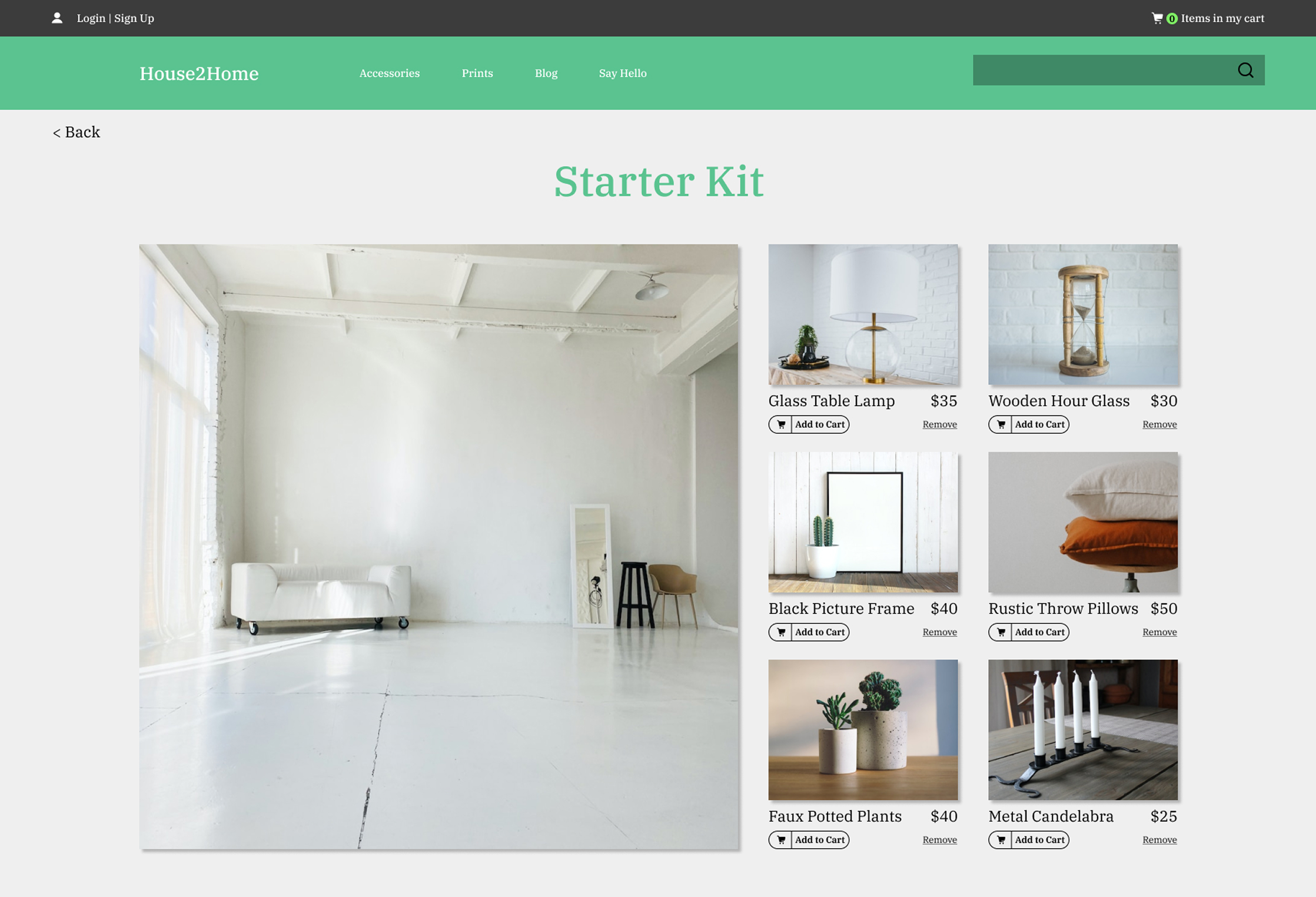
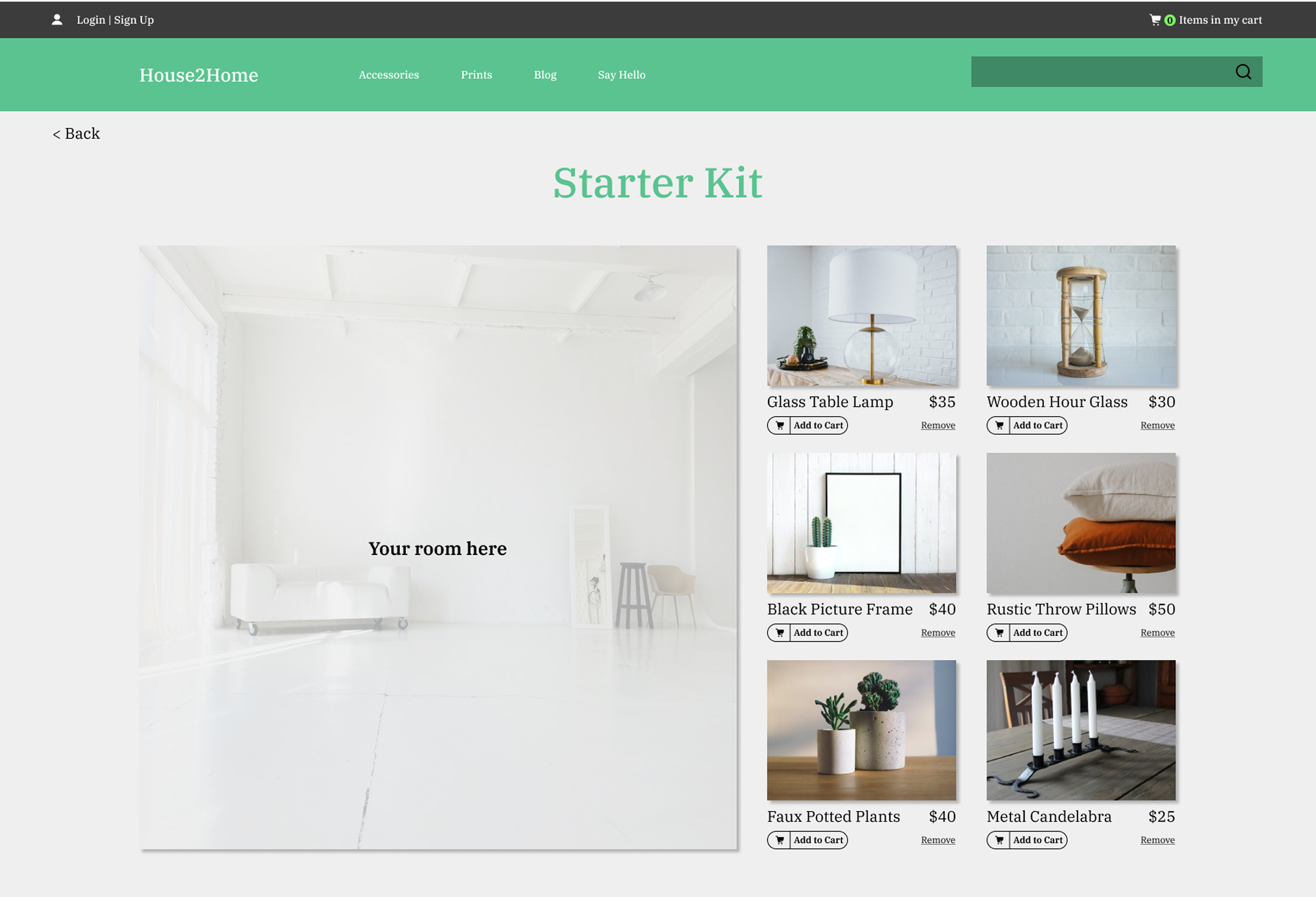
The main issue was that participants were confused about the top section of the starter kit results page. Some were able to understand on their own that this section would be where the image of their room would display with the curated products, but others needed to be told. Once they knew what would display in the large image, they were no longer confused about this section.
Solution
I updated the large image on the starter kit results page to include overlay text of: “Your room here” over the image so it was clear what would display in this section.
Test
Iterate
Play Prototype
Key Learnings/Insights
As this was only my second project as a UX/UI Designer, I wanted every detail to be perfect. So completing this project within 5 days was challenging,
Avoiding scope creep was difficult. There were areas I would have wanted to make changes to, but had to keep out of mind to focus on the objective of the design sprint.
I found that participants were commenting on the look of a certain page. Their feedback was very helpful, but I struggled with acting on their comments or trusting myself as a designer. Since no one was unable to complete the tasks on that page or had confusion on what was presented to them, I ultimately decided to stick with my design.
Possible Future Iterations
Create a pop up on the starter kit results page that would display more products for the user to swap out items in their curated selection.
Photoshop products in the large room image on the starter kit results page to make the image more realistic and simulate the actual results users would see.